Now in beta

Your own mailbox experience.

Your own address on mssgsmail.com or your own domain, parcel cards on top of the mail, and automations that act the moment it arrives. Hosted in Europe, made in the Netherlands.

Pick a name, and your address becomes you@mssgsmail.com

The mssgs mail inbox in a browser: every conversation with the sender, the date and the subject
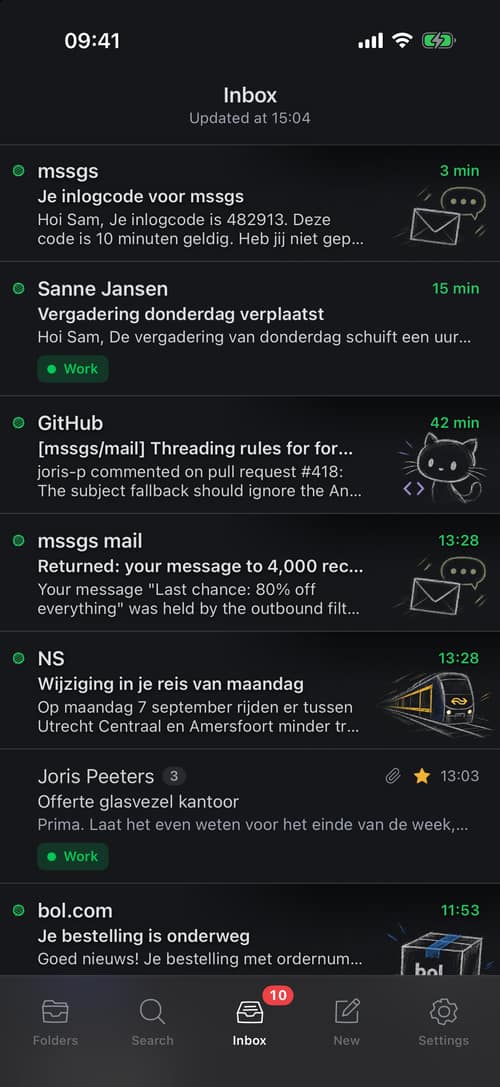
The same inbox in the iPhone app

mssgs mail for iPhone

Get through your mail, not lost in it.

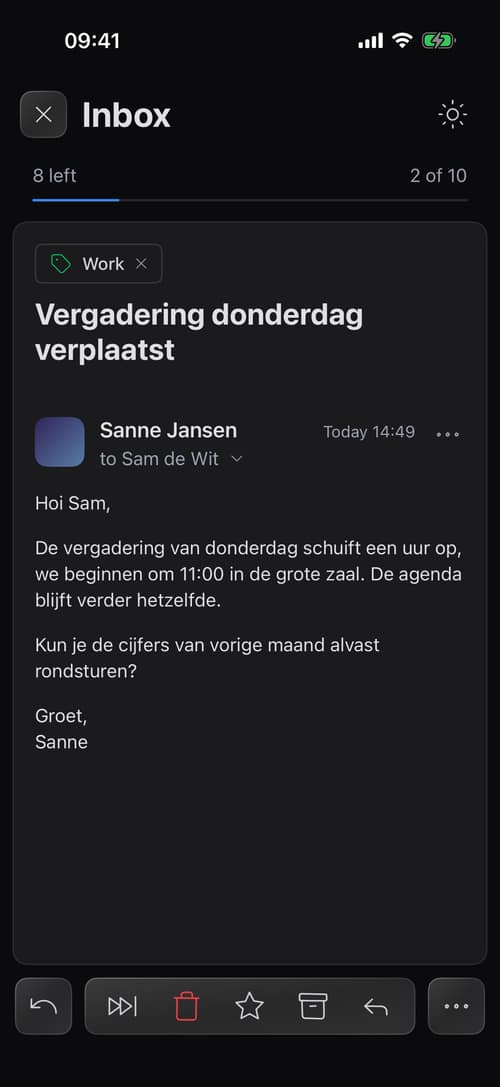
Open a mail, deal with it, swipe on to the next unread one. The app is made for the minute between two other things.

  • Swipe to the next unread
  • Undo the last move
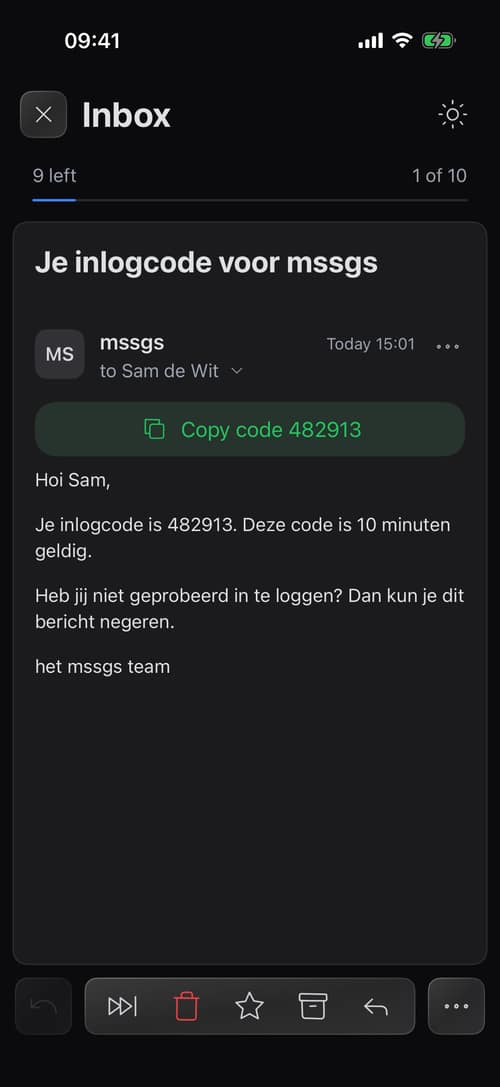
  • Copy a sign-in code in one tap
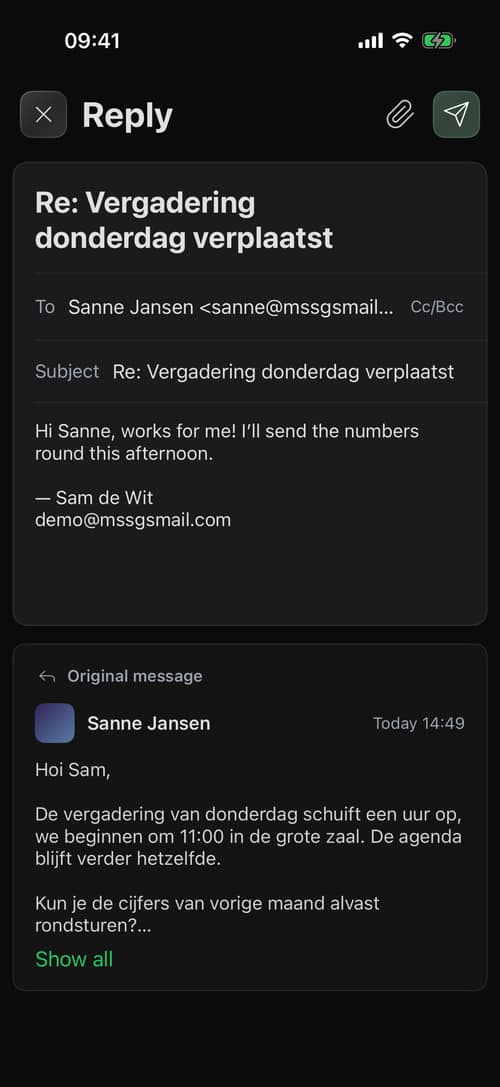
  • Reply with the original below
  • Push per label or category
  • The unread count on the icon
What most mail apps do not do

Made for the mail you actually get.

Senders who are not who they say, parcel notices, invoices for the bookkeeper, mail from your own app. mssgs mail deals with them where they land.

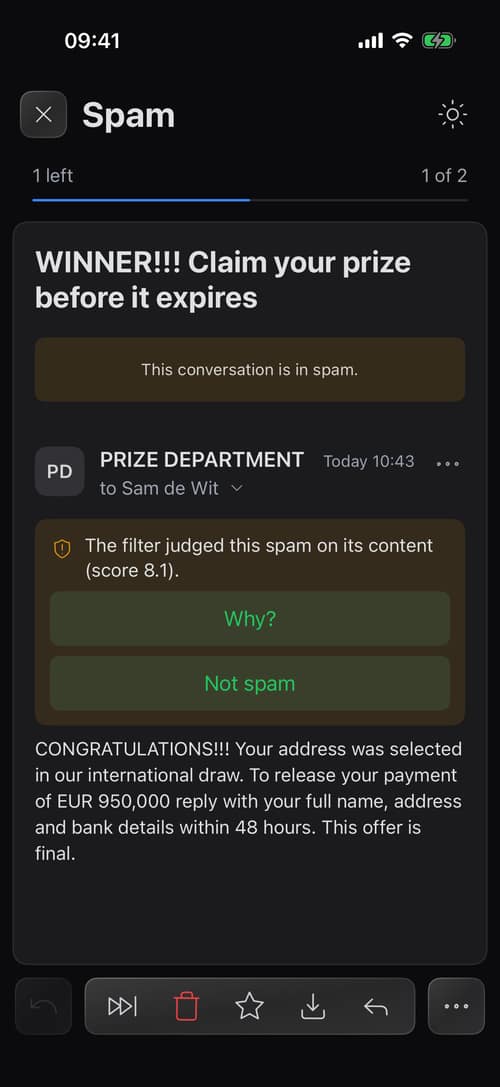
A spam message in the iPhone app with the filter's reason and a Not spam button
Who really sent it

A brand's logo only on mail from that brand.

A lookalike can copy a name and a subject, not a signature. Logos and brand artwork show only on mail the brand's own domain confirmed, links are checked before they open, and spam says why it is spam.

  • Logos only when earned

    A brand's logo, and its artwork in the list, show only on mail its domain confirmed (DMARC), so a lookalike never wears them.

  • Links checked first

    A known bad host gets a warning and an unknown domain asks once. The check runs on our server, not on your click.

  • Spam that explains itself

    The reason and the score are on the message, and Not spam teaches the filter.

A bol.com mail with a PostNL card: announced, Sunday between 09:00 and 12:00
Parcel notices

The parcel card knows when it arrives.

A notice from PostNL, DHL, DPD or UPS gets a card on top: the carrier, the tracking code and the delivery window, with the link to change the delivery.

  • The window at a glance

    The day and the time, read from the notice by our mail server, at the top of the mail.

  • Told about parcels only

    On the iPhone you can turn on notifications for the parcel category and nothing else.

Two automations: parcels to the team channel, invoices to the bookkeeper
Automations

When mail arrives, something happens.

Build a rule by clicking the words in an example mail. When new mail matches, it sends an email, replies, posts a card in a mssgs channel or calls your own URL.

  • Built from an example

    Pick a mail and click what should match: the sender, the subject or a word in the text.

  • Four kinds of action

    A new email, a reply to the sender, a card in mssgs, or an HTTP request with your own body and headers.

  • Every run in the log

    What fired, where it went and what the other side answered, from the rule or from the mail itself.

Your domains: a verified domain with API email, a workspace and alias domains
Your own domain

Your own domain, and every address on it.

Connect a domain and mail arrives on any address you make up. A reply goes out from the address the mail came in on.

  • Catch-all

    Give every shop its own address. A colour per address shows where mail came in, and who sold yours.

  • Answered from the right address

    A reply leaves from the address that was written to, with your own name on it.

  • A workspace for your team

    Everyone you invite gets their own mailbox on your domain.

Deliverability: delivered, deferred and bounced, the failures per day and what the receiving servers said
Transactional mail

Mail from your app, in the same place.

Turn on API email for a domain and your software sends through mssgs mail with a key. Deliveries, deferrals and bounces come back in a console of their own.

  • Keys per domain

    Create and revoke API keys. Mail goes out signed for your domain.

  • Deliverability you can read

    What arrived, what waits and what bounced, in the receiving server's own words.

  • Bounces stop themselves

    A hard bounce puts the address on a list. Reactivate it when it works again.

And quietly

The small things are done too.

Things you only notice when another mail app does not have them.

  • Proof of a printout

    A printed mail carries a code. Whoever holds the paper checks it at mssgsmail.com/proof against the copy sealed when it was printed.

  • No tracking pixels

    Remote images stay off until you choose. For senders you trust our server fetched them on arrival, so your device never touches theirs.

  • Drafts that travel

    A draft saves itself as you type and is waiting on your other device.

  • PDFs in a sandbox

    A PDF opens in the app as pictures of its pages: no scripts, no links, no way out.

  • Phishing in a picture

    A sign-in form or a bank page inside an image is flagged when the sender is not someone you know.

  • Shared folders

    A mailbox several people read, for the team or the household, without forwarding.

  • Sign in with your phone

    Scan a code on the computer with the signed-in app. A passkey or an authenticator app works too.

  • Search with operators

    from:, has:attachment, label: and before:, combined with plain words.

Privacy

We do not read your mail.
And we do not sell you.

mssgs mail runs on our own mail server in Europe. No ad network, no profiles, no reselling. You will pay for the product later, not with your mail.

Hosted in EuropeServers in the Netherlands. Your mail and your attachments do not leave the EU.
Our own mail serverExim on our own host. No third-party mail platform in between.
DKIM, SPF and DMARCOutgoing mail is signed, incoming mail is checked.
GDPRDeverence Group B.V., the Netherlands. Ask for your data or have it deleted.

Read how we do that

Together

Works with mssgs

mssgs mail comes from the same people as mssgs, the group chat. The same thinking about an account and about privacy, and your data sits in the same place. Chat for the conversation, mail for everything that needs an address.

Get your address.

Free while in beta. One address, 5 GB, no credit card.

@mssgsmail.com

Your address becomes <name>@mssgsmail.com. Lowercase letters, digits, dot or underscore (no consecutive dots), three to thirty-two characters.